


Download Nokia Software Recovery Tool – Free, Secure, Update & Repair Nokia Phones for Windows, Mac, Android, iOS
The Nokia Software Recovery Tool is a free, official software application developed by Nokia to help users restore their Nokia phones to factory settings and fix serious software issues. Whether your device is freezing, crashing, or refusing to boot, this tool provides a reliable way to reinstall the operating system and bring your phone back to optimal performance. Designed specifically for older Nokia models such as the Series 30+, Series 40, Asha, Nokia Belle, and Nokia X platforms, this tool is a must-have for users of legacy Nokia handsets.
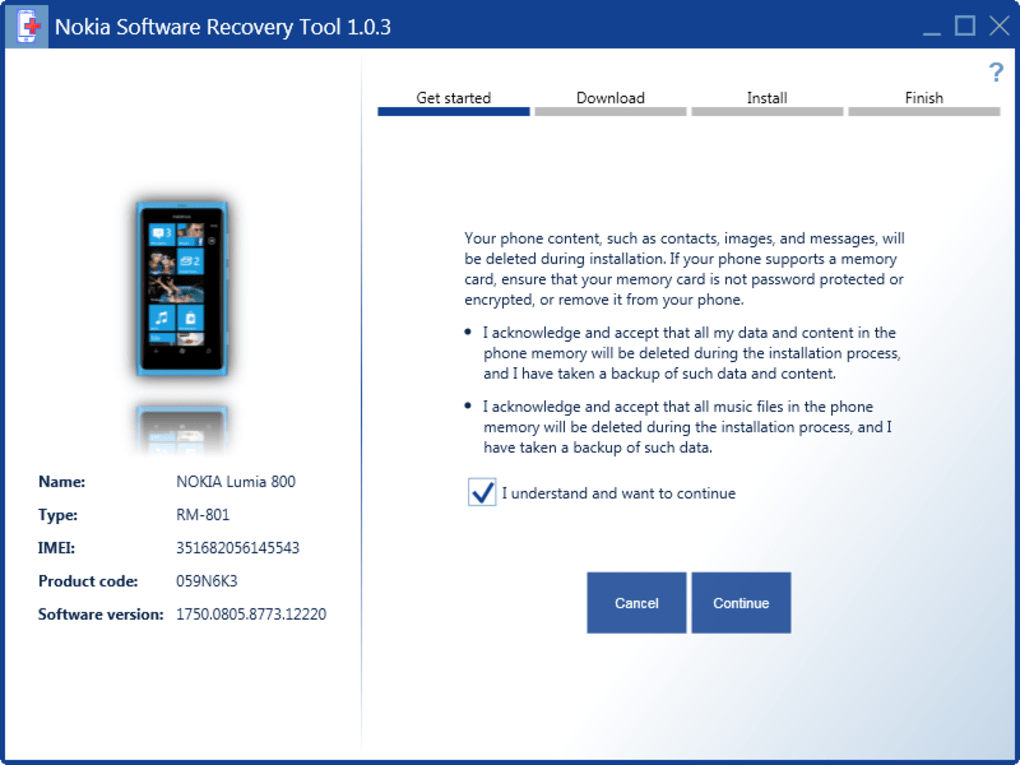
It's not a data recovery app—so always back up your contacts, messages, and media before using it. With simple USB connectivity and intuitive on-screen guidance, the recovery process is straightforward even for non-tech-savvy users. The tool supports both Windows and Mac operating systems, making it accessible to a wide range of users.
Regular updates ensure compatibility with new firmware versions and enhanced stability. For those still using iconic models like the Nokia 3310 (2017) or Nokia 8110 (2018), this software is a lifeline for restoring functionality and ensuring a smooth user experience. Download the Nokia Software Recovery Tool today and take full control of your device’s health with a secure, free, and official solution.
Key Features of Nokia Software Recovery Tool
The Nokia Software Recovery Tool offers a range of essential features that make it a powerful yet user-friendly solution for troubleshooting and restoring Nokia devices. One of its standout capabilities is the ability to reinstall the original operating system on your phone, effectively wiping out corrupted software and restoring system stability. This is particularly valuable for older Nokia models that no longer receive over-the-air (OTA) updates, such as the Nokia 3310 (2017) and Nokia 8110 (2018). By using this tool, users can bring their devices up to the latest supported firmware version, ensuring better performance and security.
Another major advantage is the tool’s seamless integration with USB connections. Simply connect your Nokia phone to your computer via a compatible USB cable, launch the software, and follow the step-by-step instructions. The interface is clean and intuitive, guiding users through each stage—from detecting the device to downloading the correct firmware and initiating the recovery process. There’s no need for advanced technical knowledge, making it ideal for everyday users who may not be familiar with software flashing or device recovery.
Additionally, the tool supports multiple Nokia platforms, including Series 30+, Series 40, Asha, Nokia Belle, and Nokia X, offering broad compatibility across a wide range of legacy devices. It also includes built-in error detection and automatic firmware verification, reducing the risk of failed recovery attempts. While it doesn’t offer data recovery, it does allow users to perform a clean slate reset, which is essential for troubleshooting persistent software glitches. For those who’ve purchased second-hand Nokia phones, this tool is invaluable for wiping previous user data and setting up the device as new. With regular updates from Nokia, the tool remains reliable and compatible with evolving software standards.
How to Install and Use Nokia Software Recovery Tool
Installing and using the Nokia Software Recovery Tool is a straightforward process that can be completed in just a few simple steps. First, visit the official Nokia support website and navigate to the software download section. Look for the Nokia Software Recovery Tool and download the version compatible with your computer’s operating system—either Windows or Mac. The file is typically small and quick to download, and the installation process is guided by a simple wizard. No special permissions or system changes are required, making it safe and hassle-free.
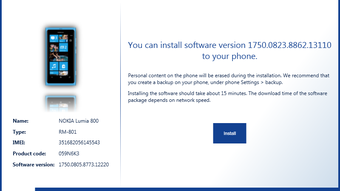
Once installed, launch the software and ensure your Nokia phone is in recovery mode. To do this, turn off your device, then press and hold the specific key combination (usually Volume Down + Power) until the device enters recovery mode. Connect your phone to the computer using a high-quality USB cable. The software will automatically detect the connected device and prompt you to select the appropriate firmware version. If multiple options are available, choose the one that matches your phone’s model and region.
After selection, the tool will begin downloading the firmware (if not already cached) and start the recovery process. This can take anywhere from 10 to 20 minutes, depending on your internet speed and device model. During this time, do not disconnect the phone or interrupt the process—doing so may brick the device.
Once complete, your Nokia phone will reboot with a fresh factory reset. You can then set it up as new or restore your backed-up data. It’s important to note that all personal data, apps, and settings will be erased, so always back up first.
The tool also provides clear status updates and logs, so you can monitor progress and troubleshoot any issues.
Compatibility and System Requirements
The Nokia Software Recovery Tool is designed to work across multiple platforms, ensuring broad accessibility for users worldwide. It is officially supported on Windows 7, 8, 10, and 11, as well as macOS 10.12 and later. This makes it suitable for both older and modern computers, giving users flexibility in choosing their recovery setup. The tool is lightweight and doesn’t require high-end hardware, so even older laptops can run it smoothly.
For mobile device compatibility, the tool supports a wide range of Nokia models, including the Nokia Series 30+, Series 40, Asha, Nokia Belle, and Nokia X platform phones. This includes popular models like the Nokia 3310 (2017), Nokia 8110 (2018), and several Asha series devices. However, it does not support newer smartphones with Android or Windows 10 Mobile, as these are no longer in the official recovery support list. Users should verify their device model on the Nokia support page before proceeding.
To ensure a successful recovery, your computer must have a stable internet connection, a working USB port, and the latest USB drivers installed. It’s also recommended to disable antivirus software temporarily, as some security programs may interfere with the tool’s access to the device. The tool itself is completely free to download and use, with no hidden fees or subscription models. Nokia regularly updates the software to fix bugs, improve compatibility, and add support for new firmware versions, so it’s always a good idea to use the latest version available.
Pros and Cons of Nokia Software Recovery Tool
- Pros:
- Official tool from Nokia – trusted and secure
- Completely free to download and use
- Supports a wide range of legacy Nokia models
- Simple, intuitive interface – no technical expertise needed
- Restores device to factory settings safely and effectively
- Enables firmware updates for unsupported devices
- Regular updates from Nokia for improved performance
- Safe recovery process with error detection and verification
- Cons:
- Does not support modern Android or Windows 10 Mobile Nokia phones
- No built-in data recovery feature – data is permanently lost
- Requires manual backup before use
- Only available for Windows and Mac – no Linux support
- Recovery process can take 15–20 minutes – requires patience
- Some users report occasional detection issues with older USB cables
Frequently Asked Questions (FAQ)
Is Nokia Software Recovery Tool free to download?
Yes, the Nokia Software Recovery Tool is completely free to download and use. It is provided by Nokia as a support tool for users of legacy Nokia devices, with no hidden costs or subscription fees.
Can I use this tool on my Nokia smartphone with Android?
No, the Nokia Software Recovery Tool does not support Android-based Nokia smartphones. It is designed exclusively for older Nokia models like Series 30+, Series 40, Asha, Nokia Belle, and Nokia X platforms.
Will my data be saved after using the recovery tool?
No, the tool performs a factory reset, which permanently erases all data, apps, and settings on your phone. Always back up your contacts, messages, and media before using the tool.
What should I do if my phone isn’t detected by the tool?
Ensure your phone is in recovery mode, use a high-quality USB cable, and try a different USB port. Also, check that the latest USB drivers are installed on your computer. Restarting both the device and computer may help resolve detection issues.
How often should I update the Nokia Software Recovery Tool?
It’s recommended to download the latest version from the official Nokia support site whenever a new firmware update is released. This ensures compatibility and optimal performance during recovery.
Conclusion: Why You Should Download Nokia Software Recovery Tool Today
If you own a legacy Nokia phone like the Nokia 3310 (2017), Nokia 8110 (2018), or any Series 30+/40 device, the Nokia Software Recovery Tool is an essential utility for maintaining your device’s health. It’s a free, secure, and officially supported solution that allows you to restore your phone’s operating system, fix software errors, and even update firmware when official OTA updates are no longer available. With its easy-to-use interface, broad compatibility, and reliable recovery process, it stands out as one of the best tools for older Nokia users.
While it doesn’t support modern smartphones or offer data recovery, its strengths far outweigh its limitations for the right audience. Whether you’re troubleshooting a frozen phone, preparing a second-hand device for a new owner, or simply resetting your phone to factory settings, this tool delivers results without the hassle. Download the Nokia Software Recovery Tool today and take full control of your Nokia device’s performance—free, safe, and hassle-free.
Download now and keep your classic Nokia phone running like new!







